-01.svg)
-02.svg)
-03.svg)
-04.svg)
-05.svg)
-06.svg)
-07.svg)
-08.svg)
-09.svg)
-10.svg)
-11.svg)
-12.svg)
-13.svg)
-14.svg)





blog
What Is Click Depth in SEO? How to Optimize Your Site Structure for Better Crawling
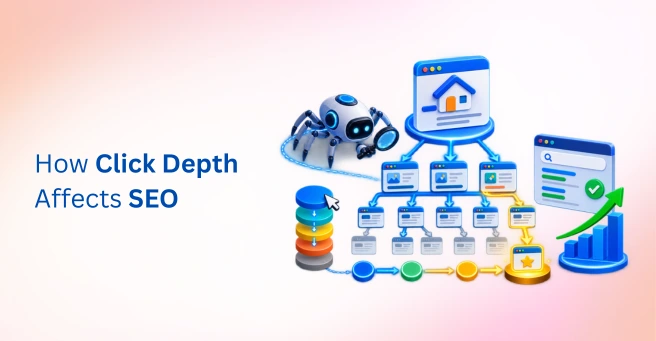
| Click depth in SEO is the number of clicks it takes to reach a page from the homepage, following internal links. Pages several clicks deep tend to get crawled less often, indexed more slowly, and receive less link equity, so keeping important pages within three clicks of the homepage generally supports better crawlability and rankings. |
A genuinely strong page sits five clicks deep from the homepage, buried under several layers of categories and subcategories. Googlebot rarely finds it, rarely revisits it, and it ranks nowhere close to its potential. Meanwhile, a noticeably weaker page, sitting just two clicks from the homepage, outranks it without much effort at all.
This is exactly what click depth in SEO explains, and it’s a concept that gets less attention than it deserves. Click depth measures how many clicks it takes to reach a page from the homepage, and it directly affects how often Googlebot finds, crawls, and revisits that page over time.
This guide covers what click depth actually means, why it affects crawlability and rankings, how to measure it across an entire site, and practical, structural ways to reduce it. A comparison table, a fix checklist, and seven frequently asked questions are included as well.
Data point: A JetOctopus large-site case study found that Googlebot crawl coverage rose from 40% to 70%, a roughly 30 percentage-point shift, after a revised internal linking strategy brought priority pages closer to the homepage, illustrating just how directly click depth and crawl coverage are connected.
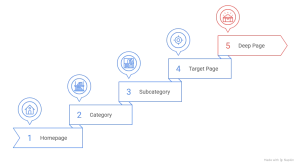
Image Source: Created using Napkin AI.
What Is Click Depth in SEO and Why Does It Matter?
Click depth in SEO is the number of clicks required to reach a specific page starting from the homepage, following the site’s internal link structure. It’s a simple concept, but it carries real technical weight, since it’s one of the clearest signals a search engine crawler uses to judge how important a page is likely to be.
A quick distinction is worth making here. Click depth is not the same as URL depth, which refers to the folder structure inside a URL itself, such as /category/subcategory/page. The two are related but not identical, and click depth is what actually governs crawl behavior, regardless of how deep a URL looks on paper.
Googlebot allocates crawl budget unevenly across a site, and pages sitting several clicks deep tend to get crawled less often, indexed more slowly, and receive less passed-through link equity than pages closer to the homepage. This is why click depth deserves attention as part of any serious website architecture review.
| Concept | What It Measures | Why It’s Different |
| Click depth | Clicks from homepage to a page, via internal links | Reflects the actual crawl and discovery path |
| URL depth | Folder levels in a URL, such as /category/sub/page | A structural label, not a crawl signal on its own |
| Crawl depth | How far Googlebot travels into a site during a session | Influenced by click depth and crawl budget together |
How Click Depth Affects Crawlability, Indexing, and Rankings
Googlebot discovers new URLs primarily by following internal links, so a page with no shallow path from the homepage may take considerably longer to be discovered at all, regardless of how good the content is once found. This discovery mechanism is why website click depth matters as much for brand-new content as it does for existing pages.
PageRank and link equity flow through internal links, and pages closer to the homepage generally accumulate more of it, which can meaningfully influence organic search visibility over time. Large sites in particular can waste crawl budget reaching deeply nested pages, leaving less budget available for revisiting and re-indexing genuinely important content.
Orphan pages represent the extreme case. These are pages with no internal links pointing to them at all, and they may never get discovered through crawling regardless of how strong the content is, since there’s simply no path leading Googlebot there. Google recommends using standard, crawlable links so search engines can discover pages through the site’s link structure.
Data point: Enterprise SEO audit research cited by MyDigipal found that 42% of B2B SaaS product pages are either under-crawled or not indexed at all, largely due to product catalogs multiplying faster than internal linking structures could keep pace, leaving a substantial share of content effectively invisible to organic search.
What Is the Ideal Click Depth for SEO?
Most important pages should sit within three clicks of the homepage, though this general guidance varies meaningfully by site size and type. A small business site with thirty pages faces a very different reality than a large ecommerce catalog carrying tens of thousands of SKUs.
Prioritization matters more than a rigid target here. High-value pages, including money pages, cornerstone content, and top-converting categories, should get the shallowest click depth a site can reasonably offer, while long-tail or archival content can sit deeper without meaningfully hurting overall performance.
How to Measure Click Depth on Your Website
Site-wide crawls using tools like Screaming Frog, Sitebulb, or Ahrefs Site Audit report click depth for every crawled URL, which makes this the fastest starting point for most sites. Cross-checking this data against Google Search Console’s coverage and page indexing reports helps identify which deep pages are also flagged as under-crawled or as “discovered, currently not indexed.” A broader technical SEO audit can reveal whether deep pages are part of a larger crawlability, indexation, or site architecture problem.
Visualizing site hierarchy as a simple tree, homepage at the top, categories beneath it, individual pages beneath those, helps spot pages that are structurally isolated or several levels removed from the homepage in a way that raw crawl data alone can be harder to picture.
How to Reduce Click Depth: Practical Site Structure Fixes
Here’s how to reduce click depth without resorting to a full site redesign, since most of these fixes work within an existing structure rather than replacing it entirely.
1. Strengthen Internal Linking From High-Authority Pages
Linking to deep, important pages directly from the homepage, top-level navigation, or high-traffic blog posts shortens the practical path considerably, often without touching the site’s underlying folder structure at all.
2. Build Logical Hub and Category Pages
Hub or category pages group related content together and create meaningfully shorter paths to individual pages, which supports both click depth optimization and a clearer content hierarchy for visitors.
3. Add Contextual In-Content Links
Naturally linking to deeper pages from within relevant body content, rather than relying on navigation menus alone, distributes link equity in a way that feels organic to readers and crawlers alike.
4. Fix Orphan Pages
Pages with zero internal links pointing to them should be identified and deliberately connected into the site hierarchy, since no amount of content quality compensates for a page Googlebot has no path to reach.
5. Simplify Navigation and Breadcrumbs
Clear, consistent navigation and breadcrumb trails shorten both the practical and perceived path to nested content, which benefits usability just as much as crawlability.
6. Use XML Sitemaps as a Supplement, Not a Substitute
Sitemaps help with discovery, but they don’t pass link equity the way internal links do, so they shouldn’t be relied on to compensate for genuinely deep click depth across a site.
| Fix | What It Improves | Effort Level |
| Internal linking from high-authority pages | Faster discovery, more link equity | Medium |
| Hub or category pages | Shorter paths, better content hierarchy | Medium |
| Contextual in-content links | Natural link equity distribution | Low |
| Fixing orphan pages | Ensures pages can be discovered at all | Low to Medium |
| Simplified navigation and breadcrumbs | Shorter perceived and actual click paths | Medium |
Click Depth on Large Ecommerce and Content Catalogs
Large ecommerce sites face a version of this problem that smaller sites rarely encounter. A catalog with tens of thousands of SKUs naturally pushes many product pages several clicks deep, simply because category and subcategory layers multiply as inventory grows.
Faceted navigation, filters for size, color, or price, often generates a technically shallow click path in theory, while functioning as a deep one in practice, since many of those filtered URLs carry little unique value and shouldn’t be prioritized for crawl budget in the first place. Prioritizing internal links toward genuinely high-value product and category pages, rather than treating every filtered combination as equally important, keeps crawl budget focused where it actually matters.
Content-heavy sites run into a related version of this issue as archives grow. Older blog posts or resource pages can drift several clicks deep as new content gets published on top of them, and a periodic internal linking refresh, connecting older cornerstone content back into newer hub pages, prevents valuable older material from quietly sliding out of Googlebot’s regular crawl path.
Common Click Depth Mistakes That Hurt SEO
- Assuming a large XML sitemap alone compensates for poor internal linking
- Over-nesting categories and subcategories without internal links tying them together
- Linking heavily to a handful of hero pages while leaving most of the site several clicks deep
- Ignoring click depth entirely on large ecommerce or content sites, where it matters most
- Treating click depth as a one-time audit instead of an ongoing part of site structure maintenance
Final Thoughts
Click depth is simple to measure, but it can have a significant impact on crawlability, indexability, and internal link equity. A well-structured website helps search engines discover pages and makes navigation easier for visitors.
Understanding click depth and auditing it regularly can help protect your organic search visibility as your website grows. This becomes especially important for large ecommerce catalogs and content libraries that add new pages frequently.
Auditing site architecture and internal linking across an entire website can take time. Tangence provides SEO services that include technical SEO, site architecture audits, internal linking optimization, and crawlability improvements. The team identifies orphan pages, deep click depth issues, and structural gaps that can limit search visibility.
If your most valuable pages aren’t receiving enough crawl attention, Tangence’s SEO team can audit your website structure and recommend practical improvements to strengthen your organic performance.
Frequently Asked Questions
1. What is click depth in SEO, and how is it different from URL depth?
Click depth measures the number of clicks needed to reach a page from the homepage through internal links. URL depth refers to the number of folder levels within a URL. Click depth reflects the actual path through a website, while URL depth describes its URL structure.
2. What is the ideal click depth for SEO?
Most important pages should sit within three clicks of the homepage. However, the ideal depth varies by site size and type. Large ecommerce catalogs and content libraries may need more flexibility than smaller websites.
3. How do I check the click depth of pages on my website?
Tools such as Screaming Frog, Sitebulb, and Ahrefs Site Audit can report click depth for crawled URLs. A site-wide crawl lets you measure click depth across your domain and identify pages that sit too deep in the site structure.
4. Can click depth alone cause a page not to get indexed?
Click depth can contribute to indexing problems, especially when a page has no internal links pointing to it. However, click depth is not always the only cause of indexing issues. Check it alongside other technical SEO factors.
5. Does an XML sitemap fix click depth issues?
No. An XML sitemap can help search engines discover URLs, but it does not pass internal link equity. Use sitemaps to support discovery, not to replace a strong internal linking structure.
6. How does click depth affect crawl budget on large websites?
Deeply nested pages can require more crawling to reach. On large websites, this can leave less crawl capacity for revisiting and re-indexing important pages. The issue becomes more significant when a site contains thousands of URLs.
7. What’s the fastest way to reduce click depth without a full site redesign?
Start by adding contextual links to important deep pages. You can also strengthen internal links from high-authority pages, such as the homepage and top-performing blog posts. These changes can reduce click depth without requiring a complete site redesign.