-01.svg)
-02.svg)
-03.svg)
-04.svg)
-05.svg)
-06.svg)
-07.svg)
-08.svg)
-09.svg)
-10.svg)
-11.svg)
-12.svg)
-13.svg)
-14.svg)






blog
Image SEO: The Complete Guide to Ranking in Google Images, Google Lens, and AI Visual Search
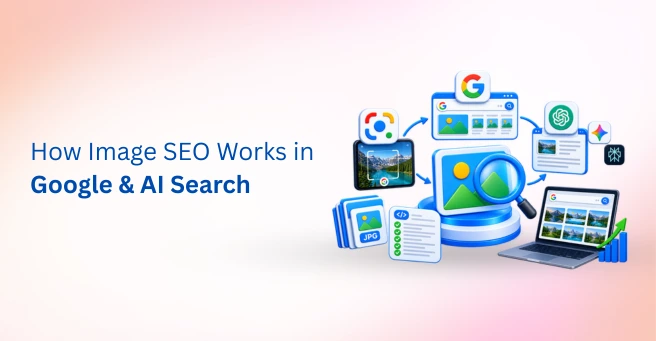
| Image SEO is the practice of optimizing images and their surrounding context, alt text, file names, compression, and structured data, so they can be discovered, indexed, and ranked by Google Images, Google Lens, and AI visual search systems. Following a complete image SEO guide means treating images as a distinct traffic channel rather than a page-speed afterthought. |
A product page ranks well in traditional Google Search. The copy is strong, the technical SEO is solid, and organic traffic looks healthy. Yet the images on that page never surface in Google Images, never get matched through Google Lens, and never show up in an AI-generated visual result, quietly leaving an entire channel of potential traffic untapped.
This is exactly the gap a proper image SEO guide is meant to close. Images are no longer decoration sitting on top of a page. They’re a distinct search channel with their own ranking signals, their own discovery paths, and increasingly, their own AI-driven visual matching systems working independently of the text around them.
This guide covers the core image optimization fundamentals, how Google Lens and AI visual search actually work, the technical performance factors that affect image indexing, and a practical checklist for tightening all of it up. Image SEO works best as part of a broader on-page SEO strategy, where images, content, headings, and page context work together.

Image Source: Screenshot taken from Google SERP.
What Is an Image SEO Guide Meant to Cover in 2026?
Image SEO is the practice of optimizing images, and the context surrounding them, so they can be discovered, indexed, and ranked by Google Images, Google Lens, and AI visual search systems. It sits at the intersection of technical SEO, content strategy, and increasingly, computer vision.
The shift worth noting here is significant. Images used to be treated mainly as a page-speed concern, something to compress so a page loaded faster. They’re now a distinct traffic and discovery channel carrying real commercial intent, particularly for ecommerce sites where a single well-optimized product photo can generate meaningful search impressions on its own.
Google’s AI systems increasingly interpret image content directly through computer vision and image recognition, not just the text sitting near an image. This multimodal shift means an image can now be matched to a search query based on what it visually depicts, independent of how well the surrounding page copy happens to describe it.
| Discovery Channel | How It Finds Images | What It Rewards |
| Google Images | Alt text, file names, surrounding content | Relevance, technical optimization |
| Google Lens / visual search | Computer vision, visual matching | Clear subjects, clean backgrounds, product context |
| AI Overviews / multimodal search | Combined text and image signals | Structured data, contextual clarity |
Core Image Optimization Fundamentals
Alt text, or alternative text, is the single highest-impact image SEO action available. It serves accessibility for screen reader users, provides context when an image fails to load, and functions as one of the primary signals Google uses to understand what an image actually depicts.
Descriptive image file names matter more than most site owners assume. A file named product-red-leather-handbag.jpg gives Google immediate, readable context, while a generic camera-generated string like IMG_4021.jpg gives it nothing at all to work with.
Image captions and the surrounding written content reinforce whatever Google has already inferred from alt text and file names, adding another layer of confirmation. Image metadata, including title attributes and structured data, rounds out the picture, supporting additional context without duplicating what alt text already communicates.
Tip: Write alt text as if describing the image to someone who can’t see it at all. Specific and accurate beats keyword-stuffed every time, and Google can tell the difference.
Optimizing for Google Lens and AI Visual Search
Google Lens works fundamentally differently from traditional image SEO. It relies on visual matching through computer vision rather than text signals alone, which means an image can be found and matched even when the surrounding page content is thin or poorly optimized.
Lens-friendly images share a few common traits: clear subjects, clean or uncluttered backgrounds, multiple angles for product photography, and images that show a product in genuine use rather than only in isolation. Ecommerce sites in particular benefit from applying this standard consistently across a full product catalog, not just a handful of hero images.
Multimodal search is accelerating this shift further. Combined image-and-text queries, where someone photographs an object and adds a typed question alongside it, are a growing share of how visual search actually gets used, and Google’s AI systems draw on both visual recognition and structured data together when generating a response.
Data point: Omnibound’s 2026 research found that Google Lens now processes more than 20 billion visual searches every month, a roughly six-fold increase from around 3 billion in 2021, driven mainly by product discovery and local business exploration.
Tip: Check your image search reporting in Google Search Console separately from your overall organic numbers. Image-driven visibility often hides inside general traffic data, where a real win can go unnoticed for months.
Technical Image SEO: Performance, Formats, and Crawlability
A complete image SEO guide has to cover the technical layer too, since even perfectly described images won’t perform well if they load slowly or never get crawled at all. Large images can also affect page experience, so image compression should form part of a broader page speed optimization process.
| Technical Factor | What It Improves | Example Action |
| WebP / AVIF format | Smaller file size, faster load | Convert legacy JPEG/PNG assets |
| Compression | Page speed, Core Web Vitals | Compress without visible quality loss |
| Responsive images | Cross-device performance | Serve appropriately sized versions |
| Lazy loading | Faster initial load | Apply below-the-fold only |
| Image sitemap | Image discovery | Submit via Google Search Console |
1. Choose the Right Image Format
WebP delivers roughly 25 to 35% smaller file sizes than JPEG at comparable quality, while AVIF pushes that further, delivering savings in the 50 to 70% range. Both are now considered standard choices over legacy JPEG or PNG formats for most web use cases.
2. Compress and Size Images Correctly
Image compression and appropriately sized image dimensions reduce file size substantially without a visible drop in quality, which directly supports faster page loads and stronger Core Web Vitals scores.
3. Use Responsive Images
Serving appropriately sized images per device, rather than one oversized file for every screen, supports both user experience and technical performance simultaneously.
4. Apply Lazy Loading Thoughtfully
Lazy loading improves initial page load meaningfully, but it should never be applied to above-the-fold images, since delaying those can hurt perceived load speed and user experience right when it matters most.
5. Submit an Image Sitemap
An image sitemap helps Googlebot-Image discover images that might otherwise be missed, particularly ones loaded dynamically or buried deep in a site’s structure.
6. Check robots.txt and Google Search Console
Confirming that images aren’t accidentally blocked in robots.txt, and monitoring image indexing status directly inside Google Search Console, catches problems early rather than after traffic has already been lost.
Structured Data and Schema Markup for Images
Structured data, particularly Product schema and ImageObject schema, gives Google explicit, machine-readable context about an image’s subject, licensing, and relationship to the surrounding content, rather than leaving Google to infer all of it independently.
For ecommerce specifically, Product schema paired with well-optimized images supports appearance in Shopping results and Lens matches directly, since Google can confirm price, availability, and product identity alongside the visual match itself. Publishers concerned about usage rights can also include image licensing metadata to clarify how their visual content may be used elsewhere.
Image SEO for Ecommerce Product Galleries
Ecommerce catalogs face a version of image SEO that content sites rarely encounter at the same scale. A single product page can generate hundreds of image search impressions a month on its own, and multiplying that across a catalog of thousands of SKUs turns image search into one of the largest available organic traffic channels, not a minor supporting one.
Products photographed with four or more images tend to see stronger engagement in search results, since more angles give Google more opportunities to match a listing against a wider range of visual queries. Clean, consistent backgrounds across a catalog also make it easier for Lens to recognize the same product across different photo sets, rather than treating each image as an unrelated visual signal.
Professional photography helps, but it isn’t strictly required. Clear, well-lit images shot on a good phone camera, paired with accurate alt text and Product schema, can perform competitively, which makes this a genuinely achievable improvement for smaller catalogs without a dedicated photography budget.
A Practical Image SEO Checklist
- Write specific, descriptive alt text for every meaningful image
- Use descriptive, hyphenated file names instead of generic camera strings
- Compress images and serve WebP or AVIF where supported
- Implement responsive images and thoughtful, below-the-fold-only lazy loading
- Add relevant structured data for product and article images
- Submit an image sitemap and confirm nothing is blocked in robots.txt
- Monitor image search performance separately inside Google Search Console
Common Image SEO Mistakes to Avoid
| Image SEO Mistake | Why It’s a Problem |
|---|---|
| Blank or keyword-stuffed alt text | Makes images harder to understand and reduces accessibility |
| Oversized, uncompressed images | Can slow pages and hurt Core Web Vitals |
| Generic file names | Names like IMG_4021.jpg provide little context |
| Ignoring Google Lens | Misses opportunities for visual search visibility |
| Treating Image SEO as a one-time task | Images can become outdated or lose optimization value |
Final Thoughts
Image SEO has evolved from a minor technical task into a distinct search channel. Your images can now appear across Google Images, Google Lens, and AI visual search. Yet many websites still overlook the basics, such as alt text, descriptive file names, and image compression. At the same time, visual matching and multimodal search continue to expand.
A complete image SEO guide helps you capture more of this growing search visibility. Sites that treat images as a real search channel can gain an advantage over those that treat them as an afterthought. As more people use visual search, this gap will likely grow.
Auditing image optimization across an entire website can take significant time. As a full-service digital marketing agency with deep SEO services expertise, image optimization is audited by Tangence, structured data is implemented correctly, and visual search visibility is built for clients across industries. If your images aren’t generating their full search potential, our SEO team can conduct a complete image SEO audit and identify areas for improvement.
Frequently Asked Questions
1. What does a complete image SEO guide need to cover for search visibility?
A complete image SEO guide should cover alt text, file names, image compression, formats, structured data, Google Lens optimization, and image sitemaps. These elements help search engines discover, understand, and index your images.
2. What’s the single most important image SEO factor?
Descriptive and accurate alt text is one of the most important image SEO factors. It improves accessibility and helps Google understand what an image depicts.
3. How is optimizing for Google Lens different from traditional image SEO?
Google Lens uses computer vision to match images based on their visual content. Clear subjects, clean backgrounds, and multiple product angles can improve visual matching. Traditional image SEO relies more heavily on signals such as alt text, file names, and surrounding content.
4. Should I use WebP or AVIF for my website images?
WebP provides strong browser support and can reduce file sizes by about 25% to 35% compared with JPEG. AVIF can reduce file sizes even further, by around 50% to 70%, but browser support is slightly less universal. Many websites use both formats with a suitable fallback.
5. Does lazy loading hurt image SEO?
Lazy loading does not hurt image SEO when you use it correctly. Use lazy loading for below-the-fold images. Avoid it for above-the-fold images because it can delay page rendering and affect user experience and Core Web Vitals.
6. Do I need an image sitemap if I already have a regular XML sitemap?
Yes, especially for image-heavy and ecommerce websites. An image sitemap can help Googlebot-Image discover images that it might otherwise miss, including dynamically loaded images and images that sit deep within a site’s structure.
7. How do I check if my images are actually being indexed by Google?
Use Google Search Console’s Search Results report and filter the search type for images. The report can show image-related impressions, clicks, and rankings separately from overall organic search performance.