-01.svg)
-02.svg)
-03.svg)
-04.svg)
-05.svg)
-06.svg)
-07.svg)
-08.svg)
-09.svg)
-10.svg)
-11.svg)
-12.svg)
-13.svg)
-14.svg)






blog
How to Write SEO Title Tags That Rank Higher and Get More Clicks (2026 Guide)

| An SEO title tag is the HTML element that defines a webpage’s title in Google Search results, browser tabs, and social shares without Open Graph tags. To write one that ranks and gets clicked, keep it 50–60 characters, lead with your primary keyword, and match it closely to your page’s H1 so Google has no reason to rewrite it. |
Title tags are one of the oldest on-page SEO elements. They are also one of the last things most sites still get wrong. Even in a search landscape reshaped by AI Overviews and zero-click results, learning how to write SEO title tags that are clear, keyword-relevant, and genuinely clickable remains one of the highest-leverage things you can do for organic rankings. Most title tags fail for one of two reasons: they’re stuffed with keywords that Google rewrites on sight, or they’re so vague that neither users nor AI systems can tell what the page actually answers.
This guide walks through a complete, tested process for how to write SEO title tags that hold up in 2026. It covers title tag best practices, Google title rewrites, click-through rate optimization, and how AI Overviews are quietly changing what a “good” title tag looks like. Every recommendation comes from current search behavior data, not guesswork, because title tag optimization has real, measurable stakes for search visibility.
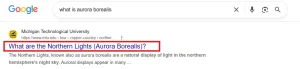
Image Source: Screenshot taken from Google SERP.
What Is a Title Tag and Why It Still Matters in 2026
A title tag – also called the HTML title tag or title element is the piece of code in a page’s <head> section that names the page. It differs from the H1, which lives in the visible body content. The title tag shows up in three places: the browser tab, the clickable blue link in Google Search results, and, increasingly, as a signal AI Overviews use to decide which pages to cite or summarize.
Its job is genuinely twofold. On one side, it’s an on-page SEO signal that helps Google understand the page’s topic and relevance to a query. On the other, it’s pure SERP optimization: the first, and sometimes only, line a searcher reads before deciding whether to click. Get the primary keyword and search intent right, and you optimize for both organic rankings and organic CTR at once.
Title Tag vs H1 vs Meta Description
| Element | Primary Purpose | Where It Appears |
| Title Tag | Ranking signal + SERP click-through | Browser tab, Google Search results, AI Overview citations |
| H1 | On-page content structure and topic clarity | Visible on the page itself |
| Meta Description | Supporting snippet copy that supports intent match | Google Search results, below the title |
Here’s the part that’s changed: Google now leans heavily on other signals, chiefly your H1. When it decides whether to display your title tag as written or rewrite it. That single shift is why title tag optimization in 2026 can’t happen in isolation from the rest of the page.
How Google Title Rewrites Work And How to Prevent Yours From Being Rewritten
SEO consultant John McAlpin ran a 2025 data study analyzing thousands of keywords across commercial, informational, and YMYL industries. Google rewrote 76.04% of title tags, up from 61% in an earlier 2023 study by Cyrus Shepard. Google’s Search documentation explains how title links are generated and why Google may replace your HTML title in search results. When Google rewrites a title, it isn’t subtle: on average, it removes about 2.71 words and keeps only roughly 35% of the original wording. Brand names are the single most common casualty; Google strips them out in 63% of all rewrites.
The same research uncovered clear patterns behind titles Google leaves alone. Unchanged titles averaged 44 characters and 7.4 words. Rewritten titles averaged 62.6 characters and 10.4 words. Nearly 85% of untouched titles fell within a 30–60 character range. A separate Zyppy study found that closely matching your H1 to your title tag dropped the rewrite rate dramatically, sometimes to around 20%.
- Keep the primary keyword near the front of the title, not buried at the end
- Match your H1 and title tag in structure and intent – don’t bait-and-switch
- Avoid ALL CAPS, excessive punctuation, or repeated keyword stacking
- Stay inside roughly 50–60 characters (about 580 pixels) to avoid truncation
- Use familiar, intent-signaling formats like “How to,” “What is,” or numbered lists
How to Write SEO Title Tags: Step-by-Step Process
If you want a repeatable system for how to write SEO title tags that consistently perform, follow this sequence rather than improvising title by title:
| Step | Action |
|---|---|
| Step 1 | Identify the primary keyword and search intent |
| Step 2 | Place the keyword near the beginning |
| Step 3 | Add one value modifier (Guide, Best, 2026, Proven) |
| Step 4 | Include a unique differentiator |
| Step 5 | Keep the title under 60 characters |
| Step 6 | Align it with the H1 |
| Step 7 | Measure performance in Search Console |
Step 1: Identify the Primary Keyword and Search Intent
Start with research, not instinct. Pull the primary keyword from your keyword research tool of choice, then confirm the underlying search intent before writing a single word – informational, transactional, or navigational. A title built for the wrong intent undermines everything that follows, no matter how well it’s worded. Check the current top-ranking pages for that keyword; the format Google already favors (a guide, a listicle, a product page) tells you what intent it expects the title to signal.
Step 2: Lead With the Keyword or the Core Benefit
Place the primary keyword or the core benefit in the first few words of the title. Keyword placement near the front carries more weight for both users scanning a results page and crawlers parsing the page’s topic. Titles that bury the keyword after a branded phrase or a generic opener lose relevance signal and get skipped over faster in a scroll.
Step 3: Add a Modifier or Power Word
Layer in one modifier that signals value: Best, Complete, Proven, Guide, or the current year. This word does the work of setting expectations, it tells the searcher what kind of result they’re clicking into before they even reach the meta description. Stick to one modifier. Stacking two or three makes the title read like a listicle generator wrote it, and it eats into your character count.
Step 4: Include a Differentiator
Add something that separates your result from ten identical blue links: data-backed, expert-reviewed, step-by-step, or a specific number. A differentiator answers the searcher’s unspoken question, why click this one instead of the other nine and gives Google an extra reason to treat the page as a distinct, citable source rather than a duplicate of the same query response.
Step 5: Stay Within the Character Limit
Keep the full title within 50–60 characters, or roughly 580 pixels, so it survives without truncation on both desktop and mobile search snippets. Use a SERP preview tool to check the rendered width, since character count alone doesn’t account for the way wide letters like “W” or “M” eat more pixel space than narrow ones like “i” or “l”.
Step 6: Cross-Check Against the H1 and On-Page Content
Compare the finished title against your H1 and the page’s actual content. They don’t need to be identical, but they need to tell the same story. A mismatch, a title promising one thing and an H1 or body copy delivering another is one of the most common triggers for a Google rewrite, and it also confuses AI Overviews trying to summarize the page accurately.
Step 7: Publish, Monitor, and Revise
Publish the title, then let it run long enough to generate real search data, typically two to four weeks. Monitor performance in Google Search Console, paying attention to impressions, average position, and CTR for that specific page. Revise any title that’s underperforming its position-based CTR benchmark, using actual click data rather than assumptions about what should be working.
Optimizing Title Tags for AI Overviews and Featured Snippets
AI Overviews now appear on a large and growing share of Google Search queries. They don’t invent context out of nowhere. Instead, they draw heavily on title tags, on-page headers, and structured content signals to decide what a page is about and whether it deserves a citation. As a result, SEO title tags now serve two audiences at once: human searchers scanning a results page, and an AI system trying to extract a precise, unambiguous answer.
This is where vague, cute, or overly clever titles lose twice. A title tag that doesn’t clearly state what question the page answers is less likely to earn a citation in an AI Overview or a featured snippet. The fix is consistency. Write a title that states the topic in plain language, then make sure the page opens with a direct, well-structured answer block that mirrors the title’s promise. Search Engine Land’s coverage of Google’s own guidance echoes this point: accuracy and clarity function as trust signals for AI summarization, just as they do for classic search visibility.
- State the specific topic or question plainly, avoid abstract or branded phrasing in the title
- Keep the title and the page’s opening answer tightly aligned
- Use structured formatting (headers, lists, tables) so both users and AI systems can parse the page quickly
- Treat llms.txt and other structured content signals as an emerging, forward-looking piece of technical SEO worth monitoring
Title Tag Best Practices for Click-Through Rate
A well-optimized title tag doesn’t just help you rank. It determines whether anyone clicks once you’re there. Backlinko analyzed roughly four million search results and found that the #1 organic position pulls an average CTR of 27.6%, versus a fraction of that by position ten. First Page Sage’s 2026 benchmarking shows a similar pattern: the top three organic results capture close to 69% of all clicks on a standard results page, and a snippet position often outperforms a plain #1 ranking.
| Do | Don’t |
|---|---|
| Use numbers | Use vague wording |
| Put keyword first | Hide keyword at the end |
| Mention the year when updated | Fake freshness |
| Match search intent | Use clickbait |
| Test titles regularly | Set and forget |
How to Audit and Test Your Title Tags Using Google Search Console
Title tag optimization isn’t a one-time task. It’s an ongoing loop of publishing, measuring, and refining. Google Search Console is the single best free tool for the job. Open the Performance report, filter by individual page, and compare impressions, average position, and CTR side by side.
- Sort pages by high impressions and low CTR. These pages are your best title-rewrite candidates, since they’re already visible but aren’t converting clicks.
- Compare current CTR against position-based benchmarks; a page ranking #3 with a CTR far below average signals a weak title tag or SERP mismatch.
- Rewrite the title using the formulas above, keeping the primary keyword and search intent intact.
- Re-check performance after Google has had two to four weeks to re-crawl and reflect the change.
- Build this into a quarterly review cadence rather than a one-off cleanup.
Title Tag Checklist
- Keep it between 50–60 characters (roughly 580 pixels)
- Place the primary keyword near the front
- Match the title tag to the H1 and the page’s actual content
- Add one modifier or power word (Best, Guide, 2026, Proven)
- Avoid keyword stuffing, ALL CAPS, and duplicate titles
- Write for search intent first, keyword placement second
- Test and refine using real Google Search Console CTR data
Common Title Tag Mistakes That Hurt Rankings and Search Visibility
| Mistake | SEO Impact |
|---|---|
| Keyword stuffing | Google may rewrite the title |
| Duplicate titles | Keyword cannibalization |
| Missing primary keyword | Lower relevance |
| Long titles | Truncation in SERPs |
| Wrong search intent | Lower CTR |
| Never updating titles | Declining performance |
Final Thoughts
Title tags remain one of the few on-page elements that touch classic organic rankings, click-through rate, and now AI Overview visibility, all at once. Getting title tag optimization right means balancing primary keyword placement, search intent, length, and clarity. Accept that Google may still rewrite a portion of your titles, no matter how carefully you craft them. The goal isn’t perfection on every page. It’s building a consistent, tested process so more of your titles survive, rank, and convert clicks.
Managing this at scale, across dozens or hundreds of pages, alongside technical SEO, content strategy, and AI-search readiness can be more than an in-house team handles alone. That’s exactly the kind of work Tangence specializes in. Tangence’s SEO services cover on-page optimization, technical SEO audits, content production, and AI-search-ready strategy for clients.
FAQs:
1. What is the ideal length for an SEO title tag in 2026?
Keep your title tag between 50–60 characters (around 580 pixels). Titles within this range are less likely to be rewritten by Google and display properly on both desktop and mobile search results.
2. How can I prevent Google from rewriting my title tag?
Write concise, descriptive titles that closely match your H1 and page content. Avoid keyword stuffing, excessive punctuation, and unnecessary brand names unless the search query is brand-specific.
3. What’s the difference between a title tag and an H1?
A title tag appears in search results and browser tabs, while the H1 is the main heading users see on the page. Keeping them aligned helps Google understand your content and reduces title rewrites.
4. Do title tags affect SEO rankings?
Yes. Although they are not a major ranking factor alone, title tags help Google understand page relevance and significantly influence organic click-through rate (CTR).
5. How many keywords should a title tag include?
Generally one primary keyword, used once and placed near the front. Trying to fit multiple keyword variations into a single title tag is a common mistake. It’s one of the clearest examples of how to write SEO title tags badly, since it usually triggers a Google rewrite.
6. Should I optimize title tags for AI Overviews?
If you want to master how to write SEO title tags for modern search, focus on clarity, search intent, and relevance instead of keyword stuffing.
7. How often should I update title tags?
Review title tag performance every quarter in Google Search Console. Prioritize pages with high impressions but low CTR, then test improved titles based on real user data.