
blog
Google Business Profile Optimization: The Complete Guide to Ranking Higher in Local Search (2026)
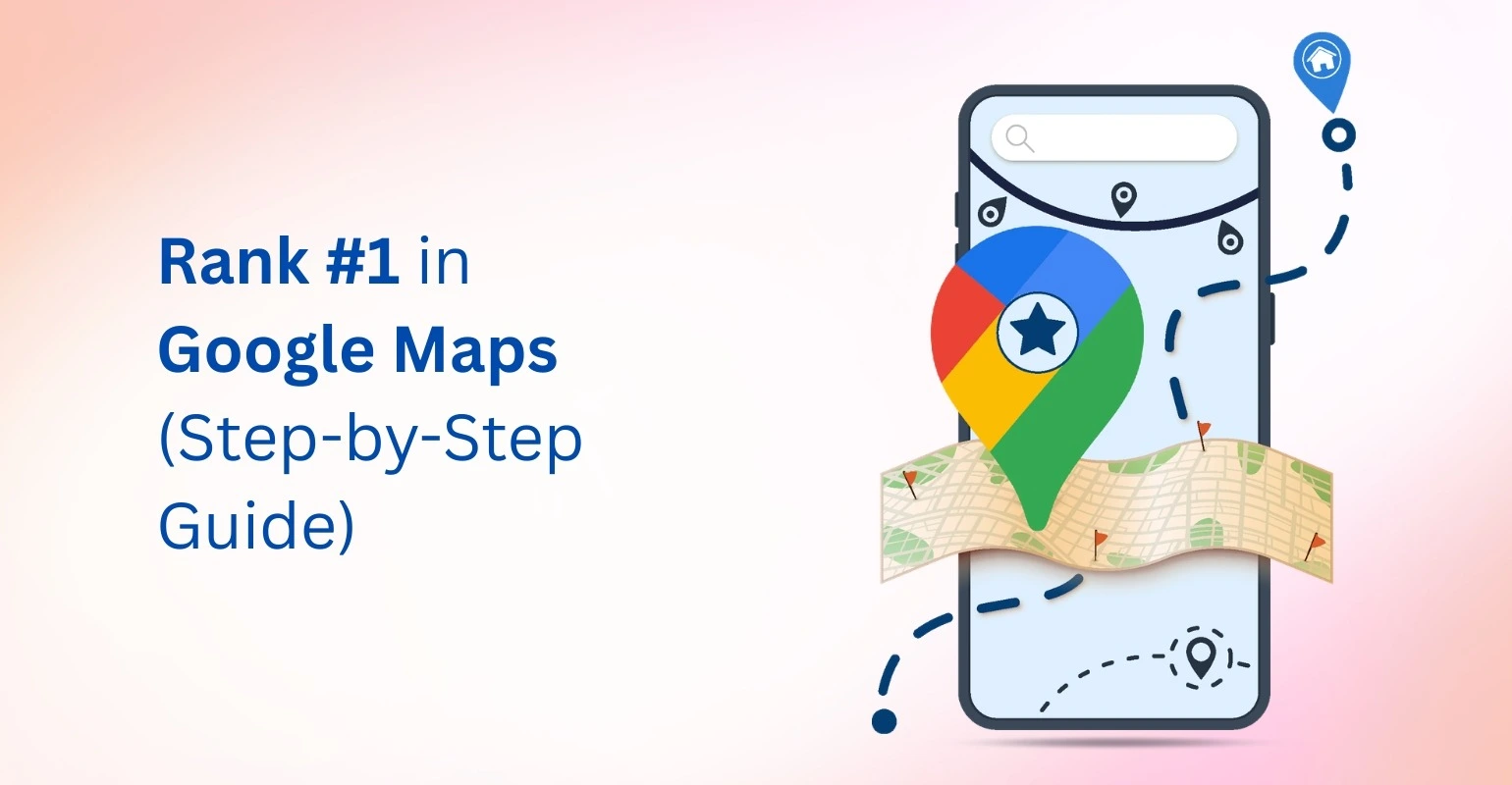
Local search has become one of the most powerful drivers of customer acquisition for businesses in 2026. When people search for services like “dentist near me,” “best restaurant in my area,” or “SEO agency near me,” Google displays results directly in the Local Map Pack and Google Maps. Businesses that appear in these results get the majority of clicks, calls, and customer visits.
This is where Google Business Profile optimization becomes essential. An optimized profile helps businesses improve visibility in local search results, attract nearby customers, and build credibility through reviews and accurate information.
Google reports that nearly 46% of all searches have local intent, and around 76% of users who search for a local business visit it within 24 hours. This means businesses that invest in Google Business Profile can significantly increase traffic, leads, and conversions.
In this complete guide, you will learn what Google Business Profile optimization is, why it matters for local SEO, and how to optimize your listing step-by-step to rank higher in Google Maps and local search results.
What Is Google Business Profile?
Google Business Profile (GBP), formerly known as Google My Business, is a free tool that allows businesses to manage how they appear in Google Search and Google Maps. A business profile includes important details such as:
- Business name
- Address
- Phone number
- Website
- Business hours
- Reviews
- Photos
- Services and products
When users search for a business on Google, they see a detailed profile that includes reviews, photos, services, and business information. The example below shows how a Google Business Profile appears in search results.
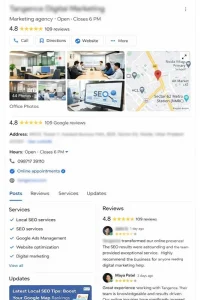
Image Source: Screenshot taken from Google Search.
When users search for businesses nearby, Google often shows a Map Pack containing three businesses with their profiles. Businesses with well-optimized profiles are more likely to appear in these results.
Google Business Profile optimization refers to the process of improving your listing so that it ranks higher in local search and attracts more customers. You can learn more about managing listings directly from the Google Business Profile Help Center, which provides official documentation and setup instructions.
Why Google Business Profile Optimization Matters
An optimized profile improves both visibility and credibility in local search. It helps businesses:
- Rank higher in Google Maps
- Appear in “near me” searches
- Increase phone calls and website visits
- Build trust with customer reviews
- Improve local SEO performance
Businesses that actively perform Google Business Profile optimization often outperform competitors who simply create a listing and leave it inactive. Many businesses partner with local SEO experts to optimize their Google Business Profile and improve their chances of ranking in the Google Map Pack.
How Google Determines Local Rankings
Google uses three primary factors to determine local rankings:
| Ranking Factor | What It Means | How to Optimize |
|---|---|---|
| Relevance | How well your listing matches the search query | Add accurate categories, services, and keywords |
| Distance | Proximity of your business to the searcher | Use correct address and service areas |
| Prominence | Popularity and authority of your business | Get more reviews, backlinks, and citations |
Key Benefits of Google Business Profile Optimization
Higher Visibility in Google Maps
Businesses with optimized profiles have a greater chance of appearing in the Google Local 3-Pack, which is the most visible area of local search results.
Appearing here dramatically increases exposure to nearby customers searching for relevant services.
Increased Website Traffic
Your profile includes a link to your website, which means optimized listings can drive more targeted traffic.
Users searching locally are already interested in a product or service, making them highly qualified leads.
More Phone Calls and Leads
Google Business Profile listings prominently display a call button on mobile devices. Businesses that implement strong Google Business Profile optimization often experience increased phone inquiries.
Improved Brand Trust
Profiles with numerous positive reviews, accurate information, and quality photos build trust with potential customers. A well-maintained listing signals professionalism and credibility.
Step-by-Step Google Business Profile Optimization Checklist (2026)
Claim and Verify Your Business Profile
The first step in Google Business Profile optimization is claiming your listing.
If your business is not yet verified, Google will require you to complete verification through one of the following methods:
- Postcard verification
- Phone verification
- Email verification
- Video verification
Verification confirms that you own the business and allows you to manage the profile.
Choose the Right Business Categories
Categories are one of the most important ranking signals.
Best practices include:
- Selecting a primary category that closely matches your main service
- Adding secondary categories for additional services
For example, a digital marketing agency may choose:
Primary category: SEO Agency
Secondary categories: Digital Marketing Agency, Marketing Consultant
Correct category selection improves the effectiveness of Google Business Profile optimization.
Optimize Your Business Name Carefully
Your business name should match your real-world brand name.
Avoid keyword stuffing such as:
“Best SEO Agency in Noida – Affordable SEO Services”
Google guidelines discourage adding extra keywords to business names. Violating this rule can lead to listing suspension.
Write an SEO-Optimized Business Description
Your business description helps users understand what you offer.
Tips for writing an optimized description:
- Use clear and natural language
- Include relevant services
- Add location signals
- Avoid excessive keywords
You have up to 750 characters, so make sure the description clearly communicates your business value.
Add Accurate NAP Information
NAP stands for:
- Name
- Address
- Phone number
Consistency across your website, directories, and citations is critical for local SEO.
Update Business Hours and Special Hours
Always maintain accurate operating hours.
Important updates include:
- Holiday hours
- Seasonal schedules
- Temporary closures
Incorrect hours can frustrate customers and reduce trust.
Enable Messaging and Booking Features
Google allows businesses to enable messaging so customers can contact them directly.
Benefits include:
- Faster customer engagement
- More inquiries from mobile users
- Improved customer experience
Advanced Google Business Profile Optimization Strategies
Once your listing is complete, advanced tactics can further improve visibility.
Optimize Your Services Section
Adding services allows businesses to highlight specific offerings.
For example, a digital marketing agency may list:
- SEO services
- Local SEO services
- Google Ads management
- Website optimization
Adding detailed services improves relevance for multiple keywords.
Use Google Posts Regularly
Google Posts function like social media updates within your listing.
| Post Type | Purpose | Example |
|---|---|---|
| Offers | Promote discounts | 20% off SEO consultation |
| Updates | Share business news | Launching a new service |
| Events | Promote upcoming events | Webinar on local SEO |
| Products | Highlight products | New marketing package |
Posting regularly signals activity and improves engagement.
Add High-Quality Photos and Videos
Visual content plays a major role in local search engagement.
Recommended images include:
- Storefront photos
- Interior images
- Team photos
- Product photos
- Customer experience photos
Businesses with more photos often receive significantly higher engagement.
Use the Q&A Section Strategically
The Q&A section allows customers to ask questions about your business.
You can also proactively add common questions such as:
- What services do you offer?
- What areas do you serve?
- Do you accept appointments?
The Role of Reviews in Google Business Profile Optimization
Customer reviews are one of the strongest ranking factors for local search.
Why Reviews Influence Rankings
Reviews contribute to:
- Trust signals
- Business credibility
- Higher prominence in search results
Businesses with more positive reviews often rank higher in local results.
How to Get More Google Reviews
Effective review generation strategies include:
- Asking customers after completing a service
- Sending follow-up emails
- Sharing a review link
- Displaying QR codes in physical locations
Always encourage honest feedback rather than offering incentives.
Respond to Reviews Professionally
Responding to reviews demonstrates customer care.
Best practices include:
- Thanking customers for positive feedback
- Addressing concerns in negative reviews
- Offering solutions when possible
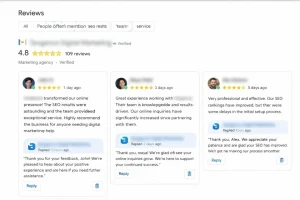
Image Source: Screenshot taken from Google Search.
Google Business Profile Optimization for Multiple Locations
Businesses with multiple branches need a structured approach.
Manage Separate Listings for Each Location
Each physical location should have its own Google Business Profile listing.
This allows each branch to rank independently in local search.
Create Local Landing Pages
Each location should also have a dedicated page on your website.
Best practices include:
- Unique content for each location
- Embedded Google Maps
- Local keywords
- Customer testimonials
Maintain Consistent Information
Ensure that all listings have consistent information across directories and citations.
Duplicate or inconsistent listings can weaken local SEO performance.
Tools That Help With Google Business Profile Optimization
Several tools can help manage and monitor local SEO performance.
Google Business Profile Insights
Google provides built-in analytics showing:
- Search queries used to find your business
- Phone call data
- Direction requests
- Website clicks
Local SEO Tools
Popular tools include:
- BrightLocal
- Whitespark
- Semrush Local
- Moz Local
These tools help track rankings, manage citations, and monitor reviews.
How Long Does Google Business Profile Optimization Take?
Results from Google Business Profile optimization typically appear within 2 to 12 weeks.
However, timelines vary depending on factors such as:
- Competition in your industry
- Number of reviews
- Listing completeness
- Website authority
- Local SEO signals
Businesses that consistently update their profiles often see faster improvements.
Future Trends in Google Business Profile Optimization (2026)
Local SEO continues to evolve with new technologies.
AI-Driven Local Search
Google is increasingly using artificial intelligence to understand search intent and deliver personalized local results.
Voice Search Optimization
Voice searches such as “best restaurant near me” are growing rapidly.
Businesses should optimize profiles with conversational keywords.
Visual Search and Image Optimization
Images and visual content are becoming important ranking signals in local search.
Hyperlocal SEO
Search engines are focusing more on neighborhood-level search results, making precise location optimization even more important.
Common Google Business Profile Mistakes Table
| Mistake | Impact on Ranking | Solution |
|---|---|---|
| Keyword stuffing business name | Can lead to suspension | Use real business name |
| Inconsistent NAP | Confuses search engines | Maintain consistent citations |
| Ignoring reviews | Reduces trust signals | Respond to all reviews |
| Duplicate listings | Splits ranking signals | Merge or remove duplicates |
Conclusion
Local search is one of the most powerful ways for businesses to attract customers in their area. By implementing effective Google Business Profile optimization, businesses can improve their visibility in Google Maps, build trust with customers, and generate more leads.
Optimizing your profile requires consistent effort, including updating business information, adding photos, responding to reviews, and posting regular updates. When done correctly, it can significantly increase local search visibility and drive long-term business growth.
For businesses that want expert support, working with a professional SEO agency can make a significant difference. Tangence, a digital marketing agency specializing in SEO and local search strategies, helps businesses improve rankings through advanced Google Business Profile optimization, local SEO campaigns, and data-driven search marketing strategies. Our SEO services focus on increasing visibility, driving qualified traffic, and helping businesses dominate local search results.
Frequently Asked Questions
1. What is Google Business Profile optimization?
Google Business Profile optimization is the process of improving your business listing on Google to increase visibility in local search and Google Maps.
2. How long does Google Business Profile optimization take to improve rankings?
Most businesses begin seeing improvements within 2–12 weeks, depending on competition and the level of optimization.
3. How often should I update my Google Business Profile?
It is recommended to update your profile at least once per week by adding posts, photos, or responding to reviews.
4. Do Google reviews help with Google Business Profile optimization?
Yes. Reviews are one of the strongest local ranking signals and significantly influence trust and visibility.
5. Can I rank in Google Maps without a website?
Yes, it is possible, but having a website greatly improves local SEO and credibility.
6. How many photos should I upload to my Google Business Profile?
Businesses should upload at least 10–20 high-quality photos and update them regularly.
7. Should I hire an agency for Google Business Profile optimization?
Hiring an experienced SEO agency can help implement advanced optimization strategies and improve rankings faster.