-01.svg) SEO Services
SEO Services-02.svg) Local SEO Services
Local SEO Services-03.svg) AI SEO Services
AI SEO Services-04.svg) Technical SEO Services
Technical SEO Services-05.svg) Performance Marketing
Performance Marketing-06.svg) Social Media
Social Media-07.svg) Content Marketing
Content Marketing-08.svg) Web Development
Web Development-09.svg) App Development
App Development-10.svg) Marketing Automation
Marketing Automation-11.svg) Real Estate
Real Estate-12.svg) Ecommerce
Ecommerce-13.svg) Education
Education-14.svg) Healthcare
Healthcare B2B
B2B SAAS
SAAS Law Firm
 BFSI
BFSI Renewable Energy
 Tour and Travel
blog
12 Essential On-Page SEO Elements You Must Optimize in 2026
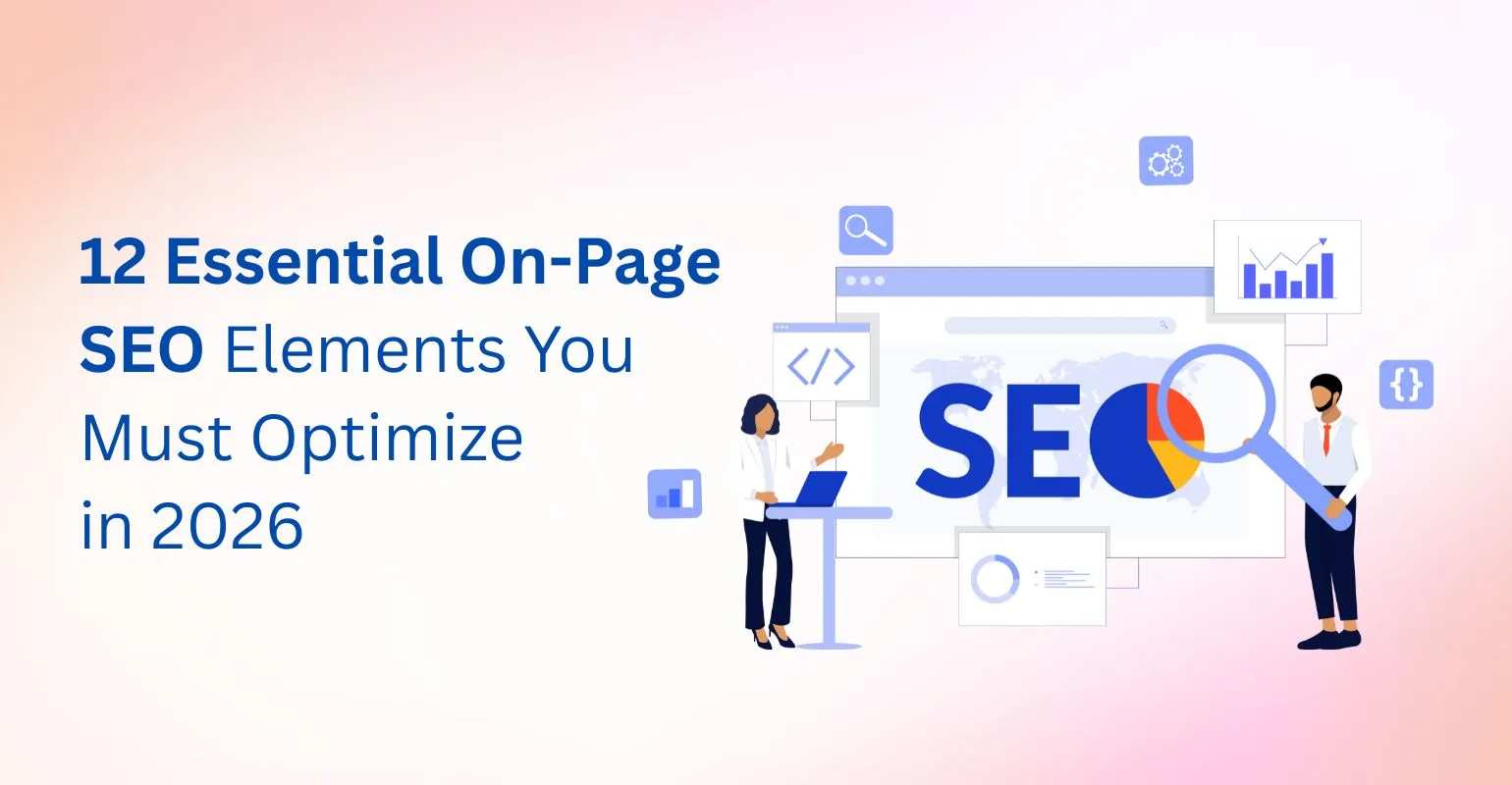
Search engines have changed significantly over the years, but one principle has stayed the same: well-optimized pages consistently perform better in search results. Whether you are creating a blog post, a landing page, or a service page, your ability to rank depends heavily on how well you optimize your on page seo elements.
Modern Google algorithms place strong emphasis on content clarity, relevance, structure, and user experience. This means that even websites with strong backlinks can struggle if their pages fail to clearly communicate value or meet user expectations. On-page SEO ensures that both search engines and users understand what your content offers.
On-page SEO is not about shortcuts or keyword manipulation. Instead, it focuses on creating clear, structured, and helpful pages that align with search intent. When implemented correctly, it improves rankings, increases click-through rates, and encourages users to spend more time engaging with your content.
In this guide, we break down the 12 essential on-page SEO elements you must optimize in 2026 to build sustainable, long-term organic visibility. Each element is explained in a practical, easy-to-follow way so you can apply these strategies confidently and effectively.
What Are On-Page SEO Elements?
On page seo elements are all the optimization factors that exist directly within a webpage and can be controlled by the website owner or content creator. These elements help search engines like Google understand what a page is about, how well it matches a user’s search query, and whether it deserves to rank higher than competing pages.
In simple terms, on-page SEO bridges the gap between content creation and search engine interpretation. When these elements are optimized correctly, they send clear relevance signals to search engines while also improving the user experience.
It’s important to distinguish on-page SEO from other SEO types. Off-page SEO focuses on external signals such as backlinks and brand mentions, while technical SEO deals with site-wide factors like crawlability, indexing, and site architecture. On-page SEO, on the other hand, is centered on content quality, structure, and HTML-level optimizations within a single page.
Common On-Page SEO Elements
| On-Page SEO Element | What It Does | Why It Matters for SEO |
|---|---|---|
| Title Tags & Meta Descriptions | Tell search engines and users what the page is about | Influence rankings, improve click-through rate, and set search intent |
| Header Tags (H1–H6) | Structure content into clear sections | Improve content clarity, readability, and search engine understanding |
| Content Quality & Keyword Usage | Deliver relevant, helpful information | Match search intent, build topical authority, and support rankings |
| Images & Alt Text | Describe visual content and improve accessibility | Help images rank in search and improve user experience |
| Internal Links & Page Experience | Connect related pages and improve navigation | Strengthen topical relevance, engagement, and crawlability |
When these on page seo elements are aligned properly, your content is more likely to match search intent, demonstrate topical relevance, and meet Google’s quality standards. Without strong on-page optimization, even websites with high authority and backlinks often struggle to achieve consistent rankings.
How On-Page SEO Elements Align With Search Intent
Search intent refers to what the user actually wants when they type a query into Google. Even perfectly optimized pages can fail to rank if they don’t satisfy the right intent. This is why aligning on page seo elements with search intent is critical.
Google generally categorizes search intent into four types:
- Informational – the user wants to learn or understand something
- Navigational – the user wants to reach a specific website or brand
- Commercial – the user is comparing options or researching before a decision
- Transactional – the user wants to take action (buy, sign up, contact)
Your on-page SEO elements should change based on the intent you’re targeting.
How different elements align with search intent:
- Title tags should clearly signal intent
- Informational: “What Is…”, “Guide”, “Explained”
- Commercial: “Best”, “Top”, “Comparison”
- Meta descriptions should match user expectations
- Informational intent focuses on clarity and learning
- Commercial intent highlights benefits or comparisons
- Headings and content depth should reflect intent
- Informational pages need detailed explanations
- Commercial pages need structured comparisons and key benefits
- Internal links should guide users logically
- Informational pages link to related guides
- Commercial pages link to service or solution pages
When your on page seo elements are aligned with search intent, users stay longer, engage more, and are more likely to trust your content. These positive signals help Google understand that your page is genuinely helpful, leading to stronger, more consistent rankings.
The 12 Essential On-Page SEO Elements
1. Title Tag Optimization
The title tag is one of the most important on page seo elements. It tells search engines what your page is about and helps users decide whether to click your result. A good title tag balances clarity and appeal. It should describe the page clearly while also encouraging clicks.
According to Google’s official title link guidelines, page titles should be clear, descriptive, and written primarily for users.
Best practices:
- Keep the title between 50–60 characters
- Place the main keyword near the beginning
- Make it engaging, not just descriptive
- Avoid using the same title on multiple pages
A strong title tag improves rankings and click-through rate at the same time.
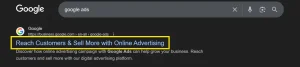
Image Source: Screenshot taken from Google Search Results
How to Add a Meta Title
Using a CMS (WordPress / SEO Plugins)
- Open your page or post in the editor
- Scroll to the SEO section (Yoast, Rank Math, etc.)
- Enter your title in the SEO Title / Meta Title field
- Keep it under 60 characters
- Place your primary keyword near the beginning
- Save or update the page
Using HTML
Add the title tag inside the <head> section of your page:
<head>
<title>On-Page SEO Elements Explained: 12 Essential Factors</title>
</head>
Best practices:
- Use only one <title> tag per page
- Avoid keyword stuffing
- Keep it clear and user-focused
2. Meta Description
Meta descriptions do not directly affect rankings, but they strongly influence how many users click your page in search results.
A well-written meta description explains what the page offers and why it’s useful.
Best practices:
- Stay within 150–160 characters
- Match the user’s search intent
- Clearly highlight the benefit
- Add a soft call to action
Good meta descriptions give you better control over how your page appears on Google.
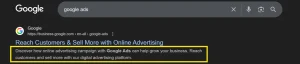
Image Source: Screenshot taken from Google Search Results
How to Add a Meta Description
Using a CMS
- Open the page editor
- Find the Meta Description field in your SEO plugin
- Write a summary (150–160 characters)
- Match search intent
- Add a subtle call to action
Using HTML
Add the meta description inside the <head> section:
<head>
<meta name=”description” content=”Learn the 12 essential on-page SEO elements to improve rankings, CTR, and content clarity in 2025.”>
</head>
Tip:- Google may rewrite poor descriptions, so always write them for users first.
3. URL Structure
Your URL should be easy to read for both users and search engines.
Short, clean URLs improve trust, usability, and crawlability.
Best practices:
- Keep URLs short and simple
- Use hyphens instead of underscores
- Avoid unnecessary parameters
- Include keywords only when they add clarity
Clean URLs support your overall on page seo elements strategy.

Image Source: Screenshot taken from browser address bar.
How to Create an SEO-Friendly URL
URLs should be created before publishing a page.
How to set an optimized URL:
- Edit the page permalink or slug
- Remove unnecessary words (and, the, of)
- Use lowercase letters
- Separate words with hyphens
- Include the main keyword only if it fits naturally
Example:
/page-id=123?ref=abc
/on-page-seo-elements-guide
4. H1 Tag
The H1 tag represents the main topic of your page. It helps search engines and users quickly understand what the content is about.
Best practices:
- Use only one H1 per page
- Keep it aligned with the title tag
- Clearly reflect search intent
- Avoid keyword stuffing
A clear H1 improves structure and readability.
Here’s an example of an H1 tag in page HTML showing proper implementation of on-page SEO elements.
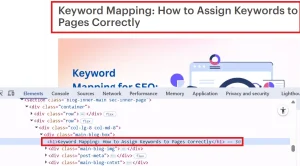
Image Source: Screenshot taken from browser inspect element.
How to Add and Optimize an H1 Tag
The H1 tag is usually the main page heading.
How to add an H1:
- Use the main heading block in your editor
- Make sure only one H1 exists on the page
- Clearly state what the page is about
- Align it with your title tag but don’t copy it word-for-word
Tip:- If your theme automatically generates an H1, avoid adding another manually.
5. Header Tags (H2–H6) for Better Structure
Header tags break content into clear sections and make long pages easier to read.
They help search engines understand how your content is organized.
Why they matter:
- Improve content flow and clarity
- Make content easier to scan
- Increase chances of featured snippets
Use H2s and H3s to divide content logically and include keyword variations naturally.
How to Structure Content Using Header Tags
Header tags organize content and improve readability.
How to use header tags properly:
- Use H2 for main sections
- Use H3 for sub-points under H2
- Maintain logical order (don’t skip levels)
- Add keyword variations naturally in headings
Tip:- If a section feels long, break it using H3s to improve scannability.
6. High-Quality, Search-Intent Optimized Content
Content is the most important on-page SEO element. If the content does not satisfy the user, rankings won’t last.
Good content focuses on answering the user’s query completely.
Best practices:
- Match the exact search intent
- Cover the topic in depth
- Add original insights or examples
- Avoid thin or generic content
High-quality content supports all other on page seo elements.
7. Keyword Placement & Semantic SEO
Keyword optimization today is about natural usage, not repetition. Before optimizing keywords on a page, it’s important to understand keyword mapping so each page targets a clear and unique search intent.
Keywords should fit smoothly into the content.
| Page Area | Recommended Usage |
|---|---|
| Title Tag | Once |
| H1 | Once |
| H2–H3 | Naturally |
| First 100 Words | Yes |
| Body Content | Contextual |
| Alt Text | Only if relevant |
Using related terms helps Google understand the topic better without over-optimization.
8. Image Optimization & Alt Text
Images improve engagement, but they must be optimized properly.
Alt text helps search engines and improves accessibility.
Why alt text matters:
- Helps visually impaired users
- Improves image search visibility
- Adds context to the page
Write clear, descriptive alt text. Avoid stuffing keywords, clarity is more important.
How to Add Alt Text to Images
Alt text describes images for accessibility and SEO.
How to add alt text:
- Click on the image in your editor
- Locate the Alt Text or Alternative Text field
- Write a clear description of the image
- Use keywords only if they describe the image naturally
- Save changes
- Good alt text example:
“diagram showing on-page SEO elements hierarchy” - Bad alt text example:
“on page seo elements best seo seo seo”
9. Internal Linking (Builds Topical Authority)
Internal links connect related pages on your website.
They help users explore more content and help search engines understand your site structure.
Benefits of internal linking:
- Distributes page authority
- Improves crawl depth
- Strengthens topical relevance
Use meaningful anchor text and link related pages logically.
10. Page Experience & Core Web Vitals
Google values pages that provide a smooth user experience. Optimizing page speed and usability starts with understanding Core Web Vitals, which directly influence page experience and rankings.
Key factors include:
- Page speed
- Mobile responsiveness
- Visual stability
| Metric | What It Measures | Ideal Score |
|---|---|---|
| LCP | Loading speed | ≤ 2.5s |
| INP | Interaction delay | ≤ 200ms |
| CLS | Visual stability | ≤ 0.1 |
Slow or poorly designed pages lead to higher bounce rates. Optimizing user experience supports both SEO and conversions.
11. Content Freshness & Updates
Fresh content signals relevance to search engines.
You should update pages when:
- Rankings start dropping
- Information becomes outdated
- New insights or examples are available
Updating existing content is often faster and more effective than publishing new pages.
12. E-E-A-T Signals Within On-Page SEO
Google evaluates content using Experience, Expertise, Authority, and Trust.
You can build E-E-A-T by:
- Writing accurate and helpful content
- Sharing real insights and examples
- Keeping content consistent and reliable
Strong E-E-A-T improves the performance of all on page seo elements.
On-Page SEO Checklist
| Checklist Item | What to Verify | |
|---|---|---|
| Title Tag & Meta Description | Title is under 60 characters and meta description is compelling and relevant | |
| H1 Tag | Only one H1 is used and clearly defines the page topic | |
| Header Structure | H2–H3 tags are logically structured and easy to follow | |
| Keyword Placement | Keywords are used naturally without stuffing | |
| Image Alt Text | All important images have descriptive alt text | |
| Internal Links | Relevant internal pages are linked with descriptive anchor text | |
| Search Intent Match | Content fully satisfies the user’s search intent | |
| Page Speed & UX | Page loads fast and works well on mobile |
Final Thoughts
Optimizing on page seo elements is not optional, it’s the foundation of every successful SEO strategy. From title tags to content quality and internal linking, each element plays a role in how search engines interpret and rank your pages.
When executed consistently, on-page SEO improves visibility, engagement, and long-term organic growth. It also ensures your content aligns with Google’s evolving quality standards.
For businesses looking to scale results with precision, Tangence offers data-driven SEO services focused on on-page optimization, content strategy, and E-E-A-T compliance. From detailed audits to enterprise-level SEO execution, Tangence helps brands turn well-optimized pages into sustainable growth engines.
Frequently Asked Questions
1. What are the most important on page seo elements?
Title tags, content quality, header structure, and internal linking are the most critical elements.
2. How many times should a keyword be used on a page?
There’s no fixed number. Focus on natural usage that supports readability and relevance.
3. Are meta descriptions a ranking factor?
No, but they strongly affect click-through rate.
4. Do header tags help SEO?
Yes, they improve content structure and search engine understanding.
5. Is alt text mandatory for SEO?
It’s not mandatory, but highly recommended for accessibility and image SEO.
6. What is the difference between on-page and technical SEO?
On-page SEO focuses on content and page elements, while technical SEO handles crawlability and site structure.
7. How long does on-page SEO take to show results?
Typically 2–8 weeks, depending on competition and crawl frequency.